
Art calls (also called open calls, calls for entry, or calls for submissions) are how galleries, museums, festivals, and arts organizations invite artists to submit work for exhibitions, publications, grants, and competitions.
They're one of the most reliable ways to get your work seen, build exhibition credits on your resume, and connect with the wider art world.
But if you've ever tried to find them, you know the problem: the internet is full of random lists, outdated deadlines, unclear requirements, and yes: outright scams. So the first challenge isn't just how to apply. It's knowing where to look.
This guide walks through the full process step by step, using EntryThingy as the example platform throughout. If you want to explore other platforms too, we've put together a comparison of trusted art call platforms worth knowing about.
- High-resolution images of your work (usually JPEG, 300 DPI or higher)
- Titles, dimensions, medium, and year for each piece
- A short artist bio (100–200 words is typical)
- Artist resume or CV (not always required, but good to have ready)
- A brief artist statement (some calls skip this entirely)
- Contact information including website or social media, if you have it
Step 1: Find Verified Art Calls Worth Applying To
Before you worry about the application itself, you need a reliable source for opportunities.
A Google search for "open calls for artists" will return a mix of legitimate opportunities, maybe expired deadlines, and calls with no clear information about fees, jurors, or what actually happens if you're accepted. Sorting through that takes time most artists don't have.
On EntryThingy, every call listed has been reviewed before it goes live. That means location is listed, fees are disclosed upfront, submission requirements are clear, and the organizing institution is identifiable.
The EntryThingy call list is also free to browse; you don't need an account to look around. You can filter by medium, state, city, and deadline to quickly narrow down what's relevant to you.
Here's what the filters look like:
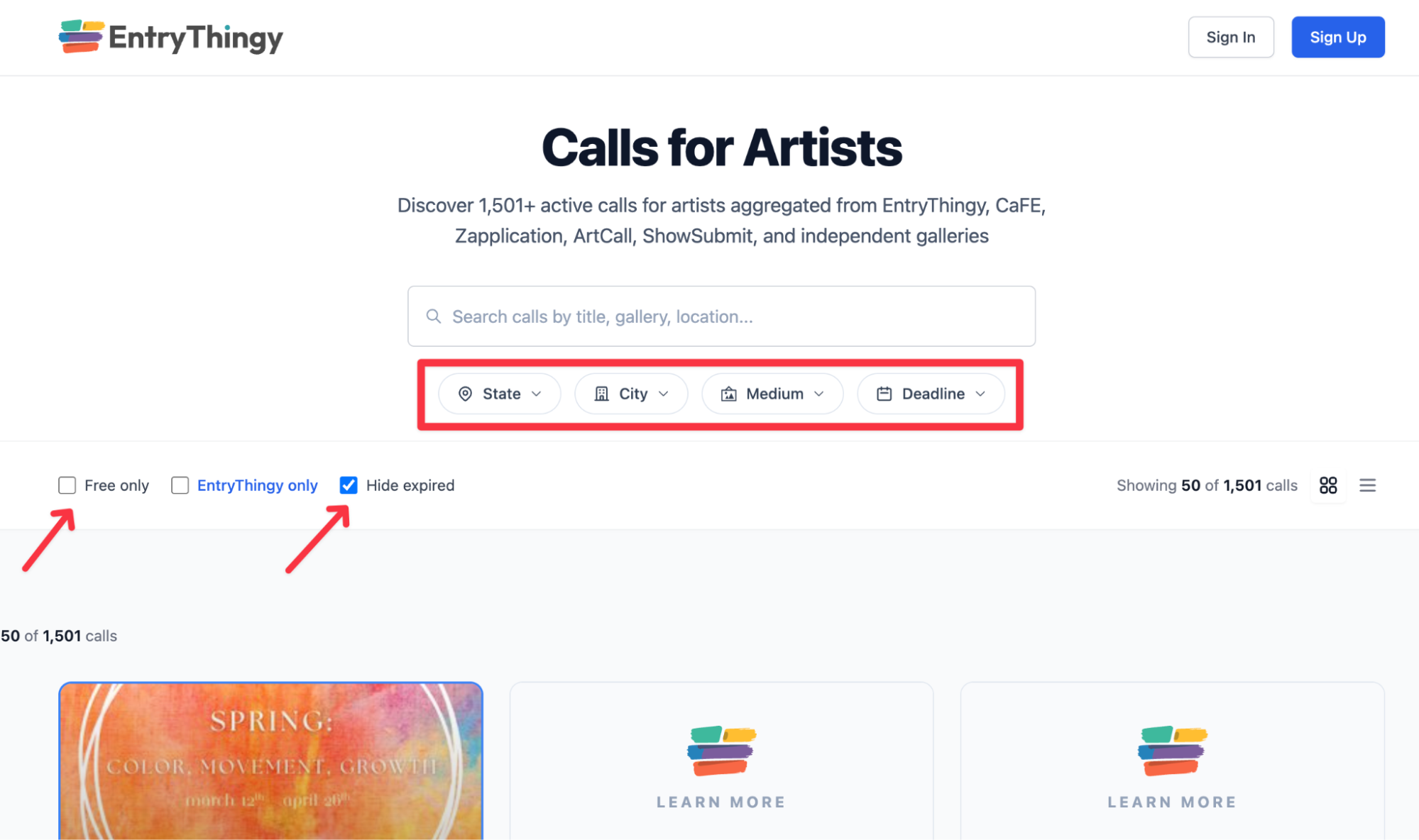
That filter is genuinely useful. If you're a ceramicist, you're not wading through photography calls. If you're based in the Midwest, you can find regional exhibitions first. If you're short on time, sorting by deadline keeps you focused on what's actually open right now.
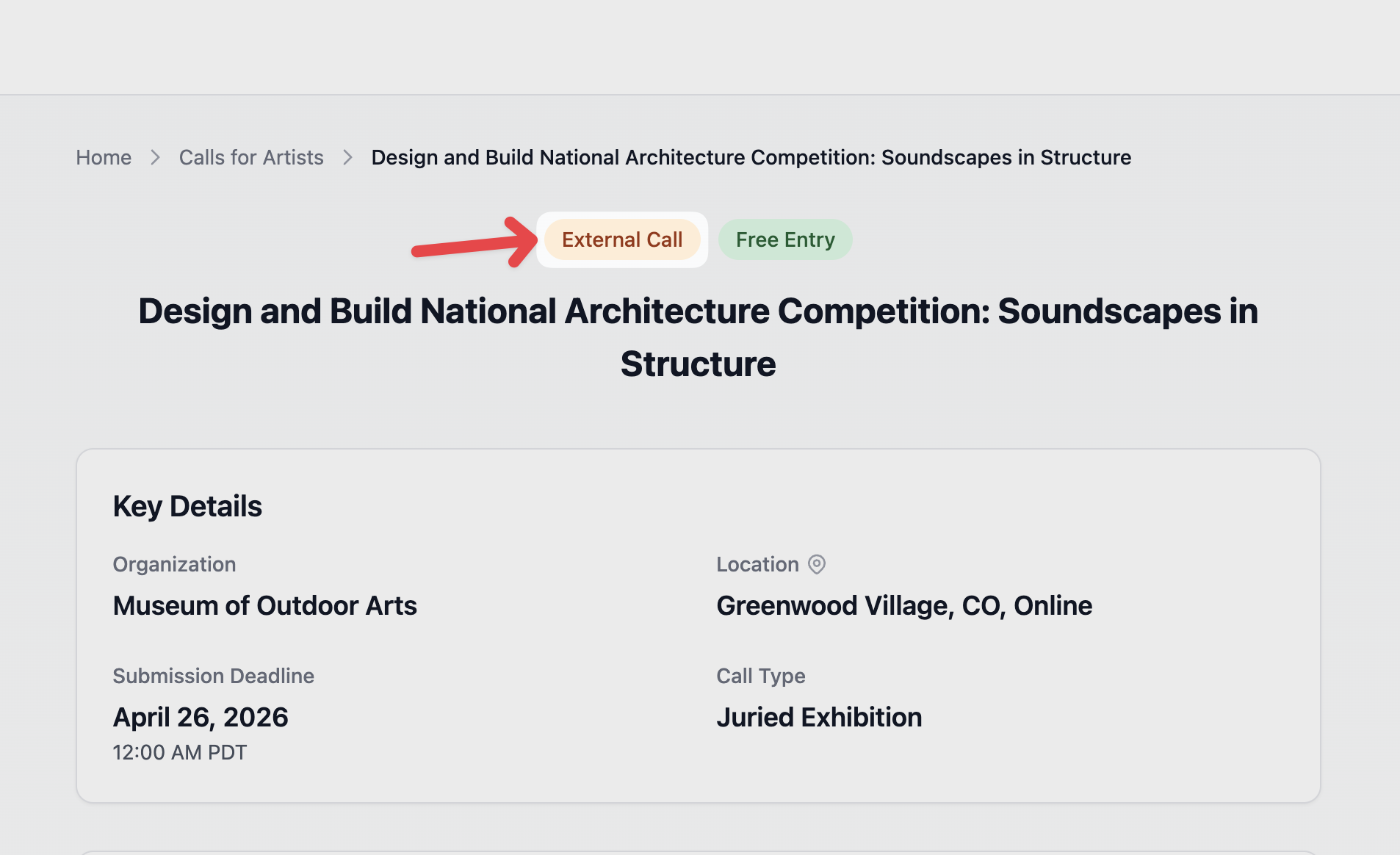
EntryThingy also lists both internal calls (where you apply directly through the platform) and external calls (where the platform links out to a verified opportunity hosted elsewhere).
Either way, the listing has been checked, so you're not starting from scratch every time.
Once you create an account on EntryThingy, you can set up alerts based on your medium and location. Instead of checking back manually, you'll get emails about calls that match your practice.
Step 2: Read the Call Detail Page Carefully
This sounds obvious, but a lot of rejected applications come down to artists not reading the requirements closely enough.
Every call has its own rules, set by the gallery or organization running it and those rules vary more than you'd expect.
When you find a call you're interested in, the detail page tells you everything you need to know before you commit time to an application.
Here's what a typical call page looks like on EntryThingy:
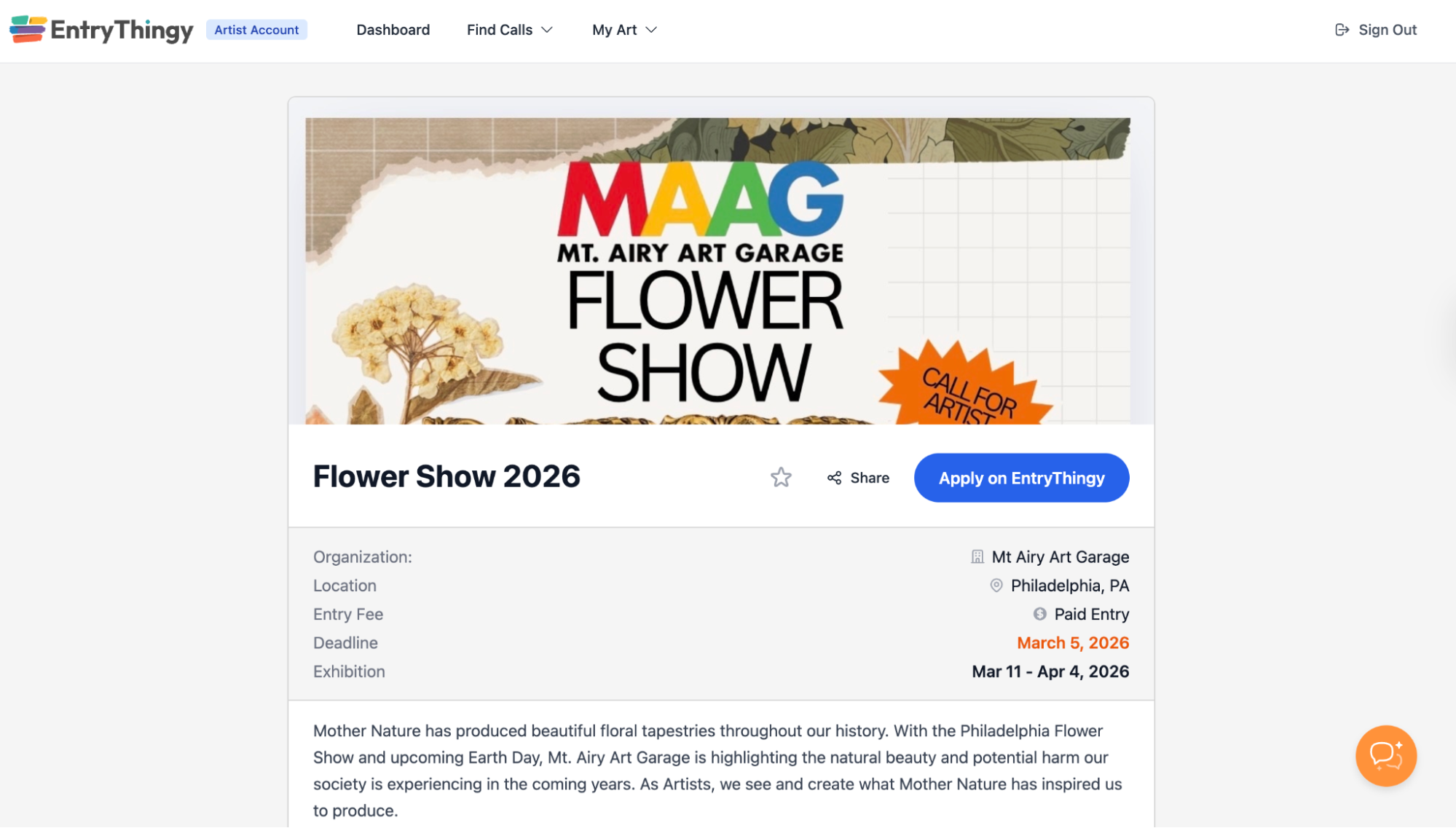
Here's what to check before you click Apply:
- Eligibility: Is this open to all artists, or is it limited by age, experience level, geography, or career stage? Some calls are specifically for emerging artists, residents of a particular state, or students only.
- Medium: Some calls accept all media. Others are specific: photography only, painting only, fiber arts only. Check this before you apply.
- Entry fee: Is there a fee? How much, and what does it cover? On EntryThingy, fees are disclosed upfront on the listing so you're never surprised at checkout.
- Deadline: Not just the date, but the time and timezone. A call that closes at 11:59 PM Pacific is still open longer than one that closes at midnight Eastern.
- What happens if you're accepted: Does the gallery take a commission on sales? Are you responsible for shipping? Will work be returned? These details should be answered somewhere in the call description.
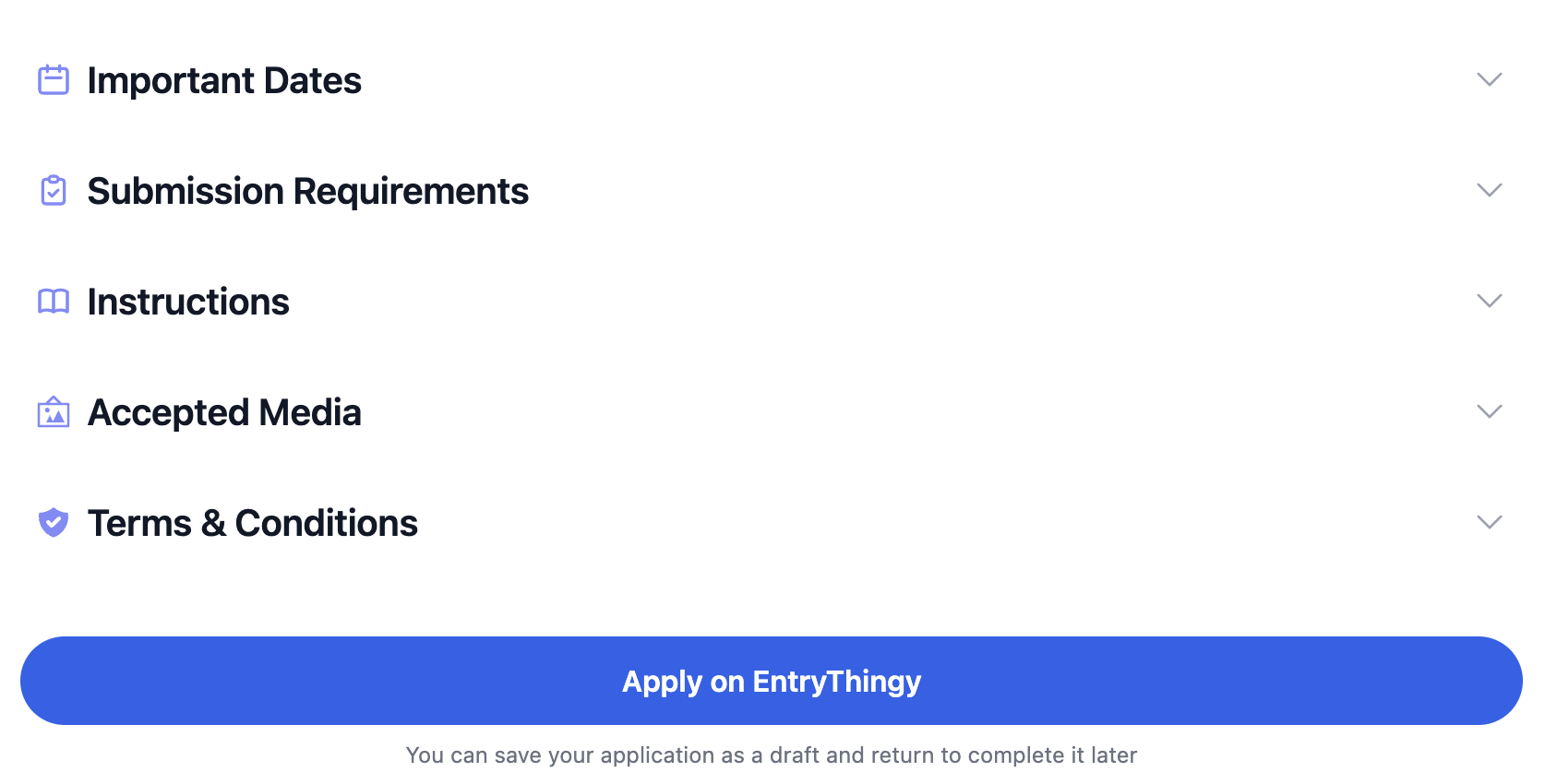
You will find more information on the call page, as shown below:
Step 3: Set Up Your Profile Before You Apply
Before you hit Apply on anything, take 15 minutes to get your EntryThingy profile in order.
A lot of the information galleries and jurors see comes directly from your profile, and an incomplete or outdated one can hurt your application before the juror even looks at your work.
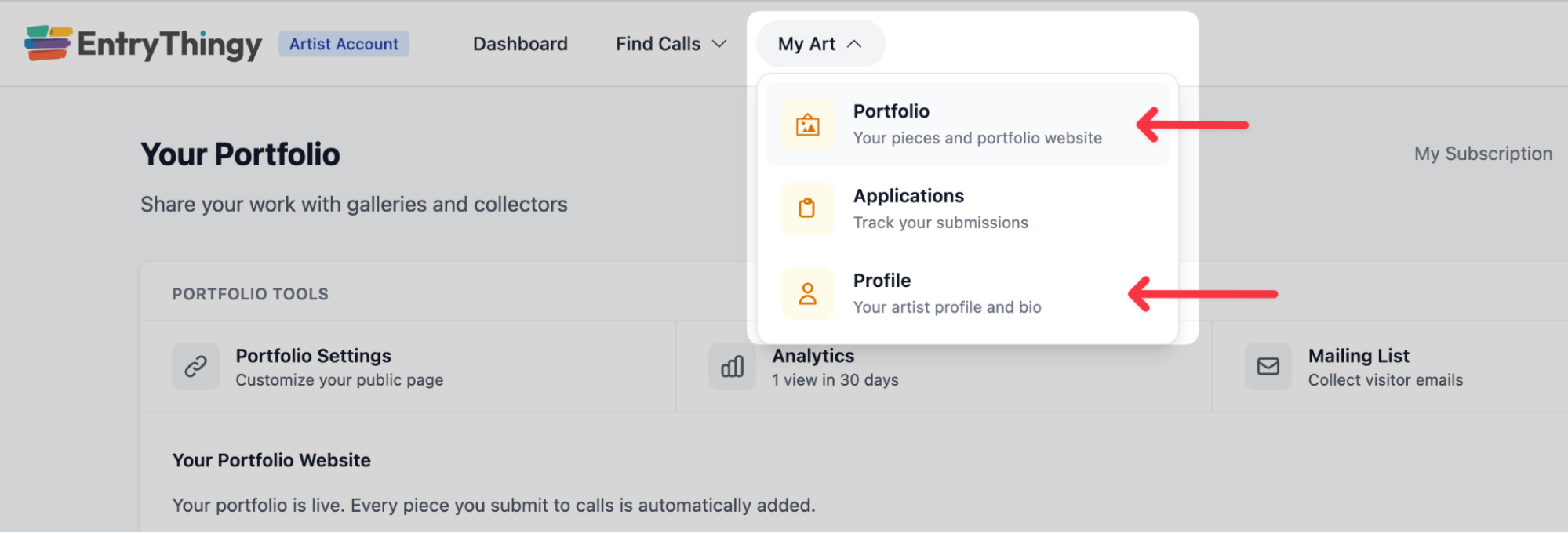
In your artist account, go to My Art → Profile for your bio and artist statement, and My Art → Portfolio to manage your artwork and images.
Here's what to have ready before your first application:
Your profile photo and artist bio
Add a profile photo and write a short artist bio: usually 100–200 words. Your artist statement lives on your profile and is shared automatically with every application you submit.
This is what galleries and jurors see when they look you up, and it's the first impression beyond the work itself.
Keep it in the third person (most calls ask for this), focused on your practice, medium, and what drives your work. If you need a starting point, we have two guides on artist bio examples and artist resume examples to help.
Your website and social media links
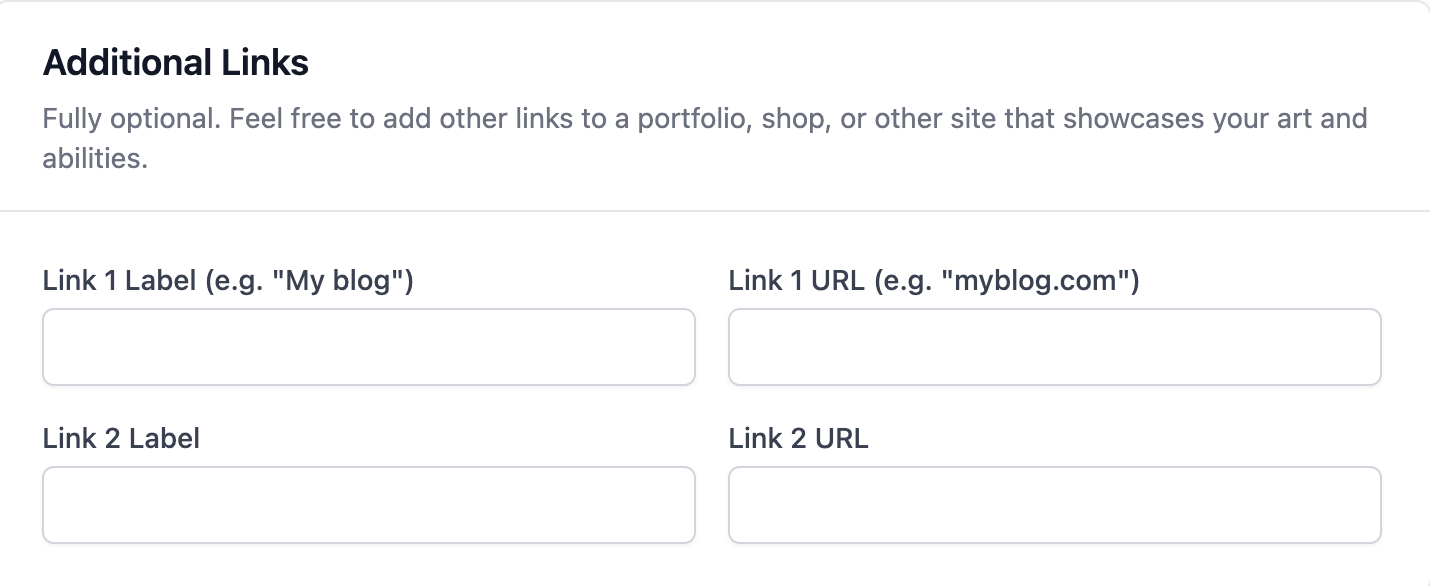
Add your website and Instagram to your profile. Many jurors will look you up. A working website or active Instagram gives them more context about your practice and makes your application feel more complete. These fields appear in the application automatically once they're saved to your profile.
Your portfolio images
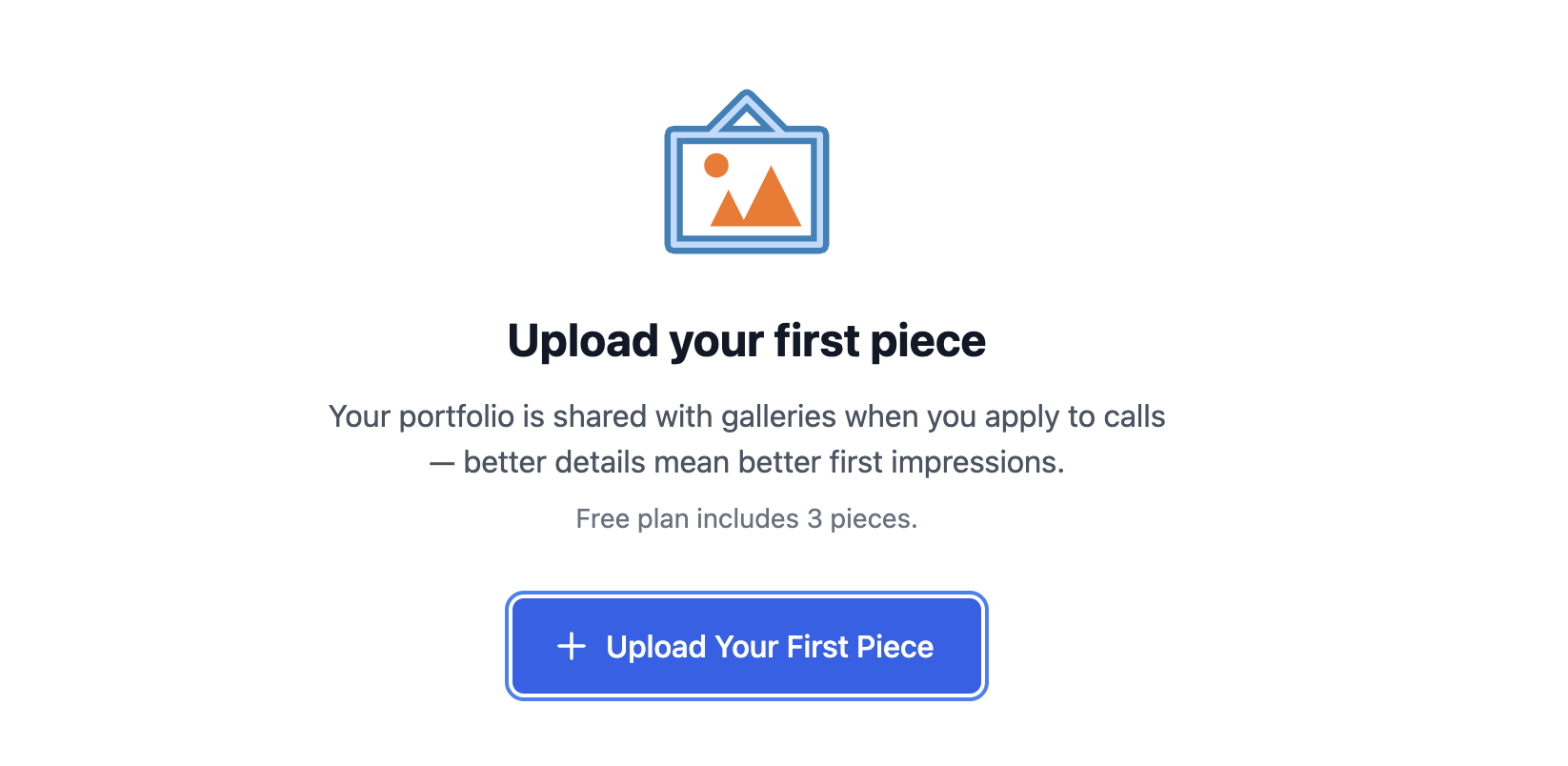
Upload your work to the Portfolio section. This is your artwork library, once pieces are saved here with their details (title, medium, dimensions, description), you can pull them directly into any application without re-uploading every time.
Before uploading, make sure your images actually meet submission specs. Most calls require JPEG format, 300 DPI or higher, and a minimum of around 1200px on the longest side, and many have a maximum file size too.
If your images need resizing or converting (especially if you shot on your phone and have HEIC files), use Pixel Prep: EntryThingy's built-in image tool available only to Portfolio subscribers.
It has a "Jury Submission" preset that outputs a 1920px JPEG in the 1–2MB range, which meets the requirements for most calls. Find it under Portfolio → Pixel Prep.
Step 4: Complete the Application
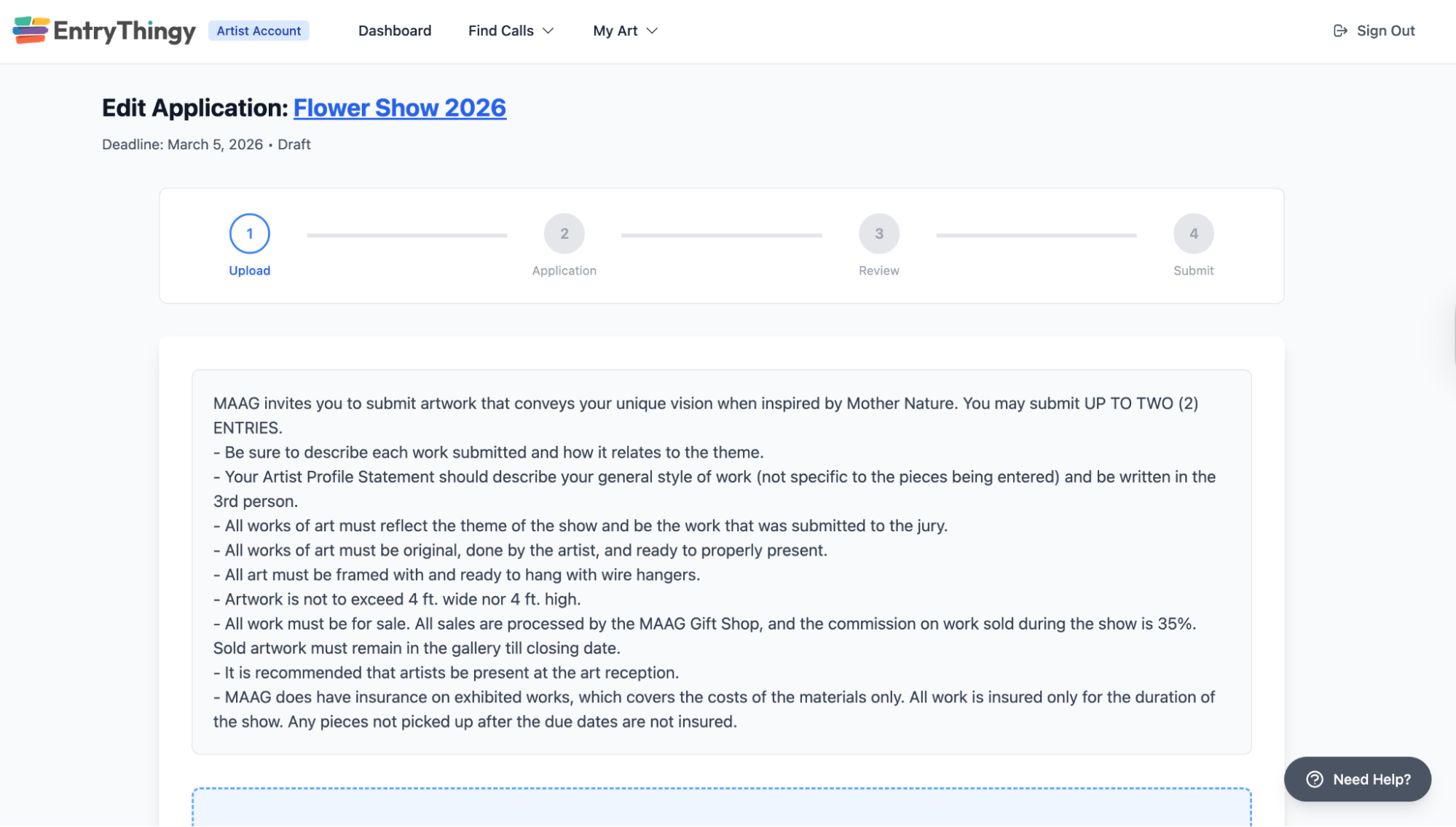
Once you click Apply on a call, the application opens with a clear four-step progress bar at the top: Upload → Application → Review → Submit.
Here's what each step involves.
1. Upload
The first thing you'll see before uploading is the gallery's submission instructions. Read them carefully.
This is where you'll find specific requirements like size limits, how many pieces you can submit, framing requirements, or whether work needs to be for sale. These are set by the gallery, not by EntryThingy, and they vary from call to call.
Once you've read the instructions, upload your images. If you've already added pieces to your portfolio, you can pull them in directly without re-uploading.
Either way, after selecting an image, you'll be asked to fill in the piece details, title, medium/material, dimensions, price (or mark it not for sale), and a piece description.
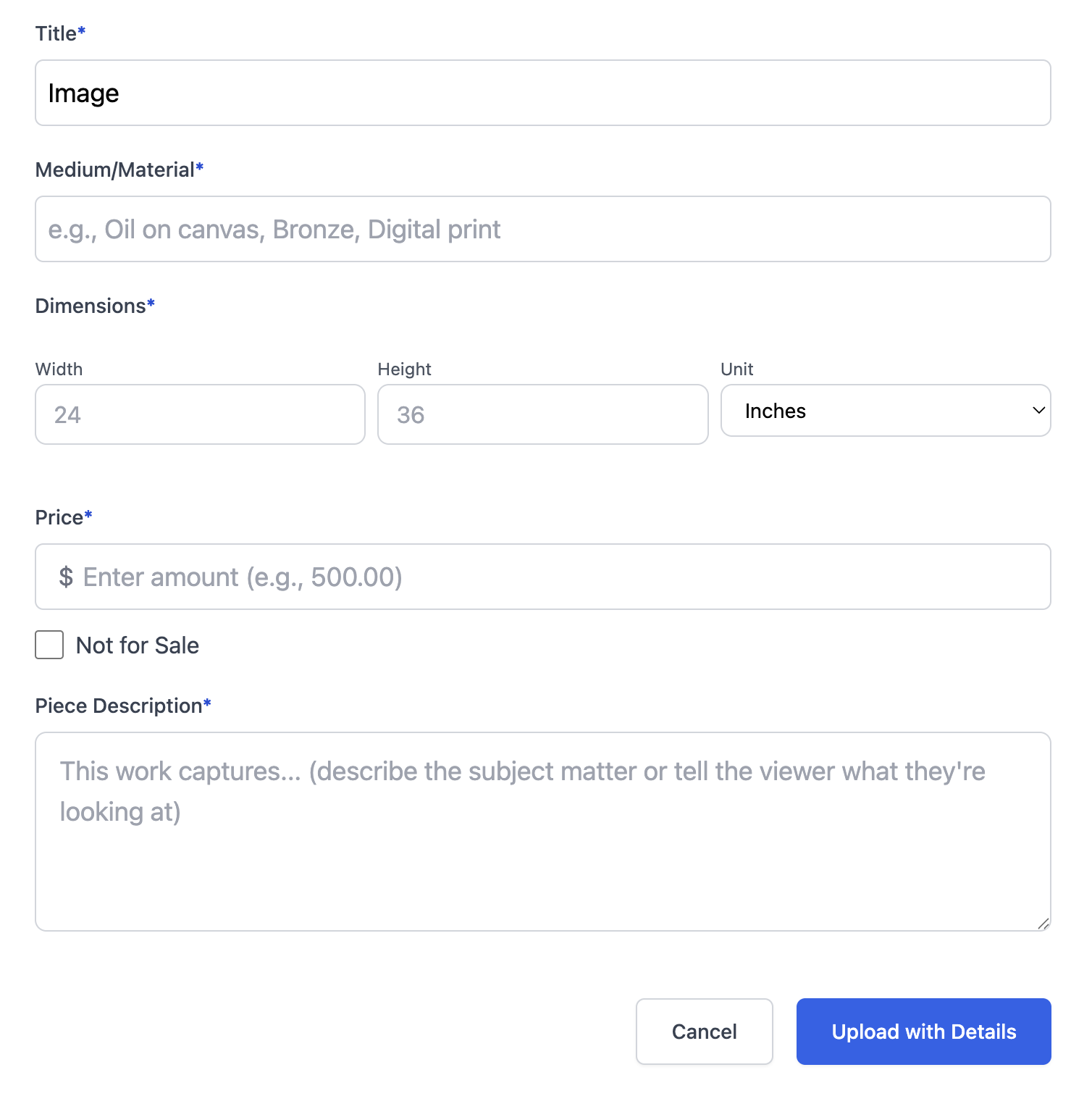
If the call allows multiple pieces, you can add more here and drag to rearrange the order you want the juror to see them.
2. Application: Fill in the gallery's questions
After uploading your work, you'll move to the application form. This is where you fill in your artist statement (saved to your profile and shared with every application), a description of your overall submission, and any additional questions the gallery has set, like how you heard about the opportunity, or image use permissions.
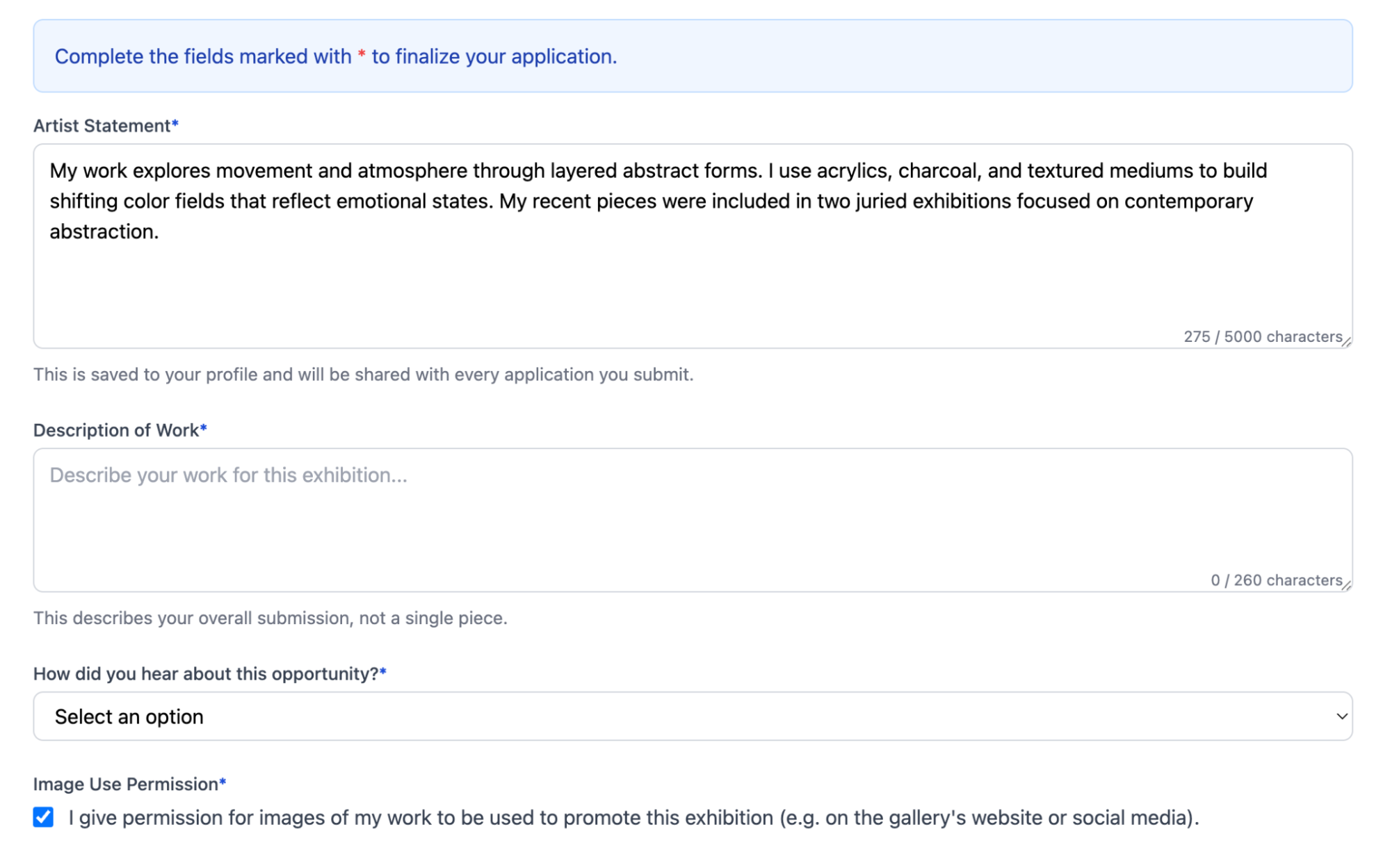
Take your time on this step. A thoughtful, specific answer to "describe your work for this exhibition" will read better than something dashed off in 30 seconds and it's often the difference between a memorable application and a forgettable one.
3. Review: See exactly what the juror will see
Before you submit, EntryThingy shows you a full preview of your application, both from your perspective and from the juror's.
The preview is there to help you feel confident hitting submit, with a clear view of how your work will appear to the juror.
You can check your image as they'll see it, along with the dimensions, medium, description, and contact info. If anything looks off (like a typo or a missed field), you can quickly go back and fix it before submitting.
4. Submit: Pay if required, then you're done
If the call has an entry fee, you'll be prompted to pay here. Free calls go straight through. After you submit, you'll get a confirmation and the application will appear in your dashboard, where you can track its status.
Step 5: Track Your Applications and Follow Through
One of the most common mistakes artists make is treating each application as a one-off event and then forgetting about it. Building a practice of applying consistently (and tracking what you've submitted) is what actually leads to results over time.
Your EntryThingy dashboard keeps all of your applications in one place. You can see the status of each one (pending, accepted, not selected), check what you submitted, and get notified when something changes.
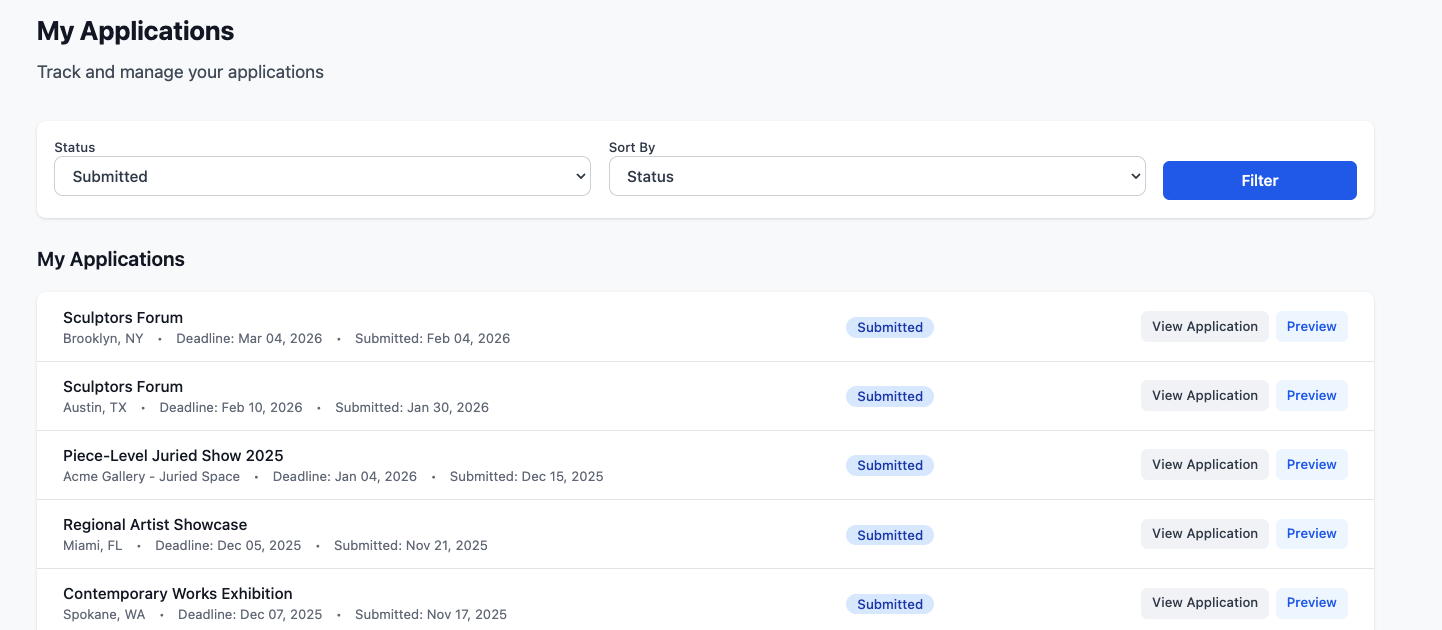
That notification matters. Sometimes decisions come back faster than expected, and you don't want to miss an acceptance because you weren't checking.
Apply consistently, refine your documentation over time, and pay attention to which calls you're applying to.
A call that's well-matched to your medium and practice is worth more than a long-shot application to something that doesn't quite fit.
Now you know the process, the next step is finding a call and applying. Browse verified art calls!
FAQs
How much does it cost to enter an art call?
It varies. Many legitimate calls are completely free to enter. You can browse a curated list of verified free art calls on EntryThingy if that's what you're looking for.
Paid calls typically charge between $25 and $45 for a single entry, sometimes with discounts for additional pieces. If you want a full breakdown of what fees cover and when they're reasonable, we've written a separate guide on art call entry fees.
How do I know if an art call is legitimate?
Check that fees are clearly stated upfront, the organizer has real contact information, the juror is named or described, and the terms are transparent (commission, ownership, returns). Red flags include vague prizes, missing contact details, or pressure to pay quickly.
Do I need an account to browse art calls on EntryThingy?
No, the call list is free to browse without an account. You can filter by medium, state, city, and deadline to find what's relevant to you before you sign up for anything. You'll need an account to apply, save favorites, or set up alerts for calls that match your practice.
What do jurors look for in art call submissions?
Jurors consistently look at image quality, how well the work fits the theme or medium, and whether the application follows all instructions. Many rejections happen because of small technical issues (low-resolution images, wrong file formats, or missing fields), rather than the quality of the work itself.
What's the difference between an open call and a juried exhibition?
An open call is a broad invitation; any artist meeting the eligibility criteria can apply. A juried exhibition adds a selection step: a juror (or panel) reviews all submissions and selects which works are accepted.
Can I apply to art calls in a different state or country?
Yes, but it depends on the call. Some are open nationally or internationally, others are limited to residents of a specific state or city. Eligibility is listed on every call on EntryThingy — it's one of the things we verify before a listing goes live. If you're browsing, you can filter by location to see what's in your area, or leave location unfiltered to see everything you're eligible for regardless of where it's based.
What image format should I use for art call submissions?
Most calls ask for JPEG, typically at 300 DPI or higher with a minimum of around 1200px on the longest side. Some specify a maximum file size (usually between 1–5MB per image).